
Smarter Location Autocomplete with Nearby Picker
Table of Contents:
- Nearby Location Picker
- Duplicate Location Prevention
- Google Places Suggestions Always Visible
- Suite-Sibling Detection
Nearby Location Picker
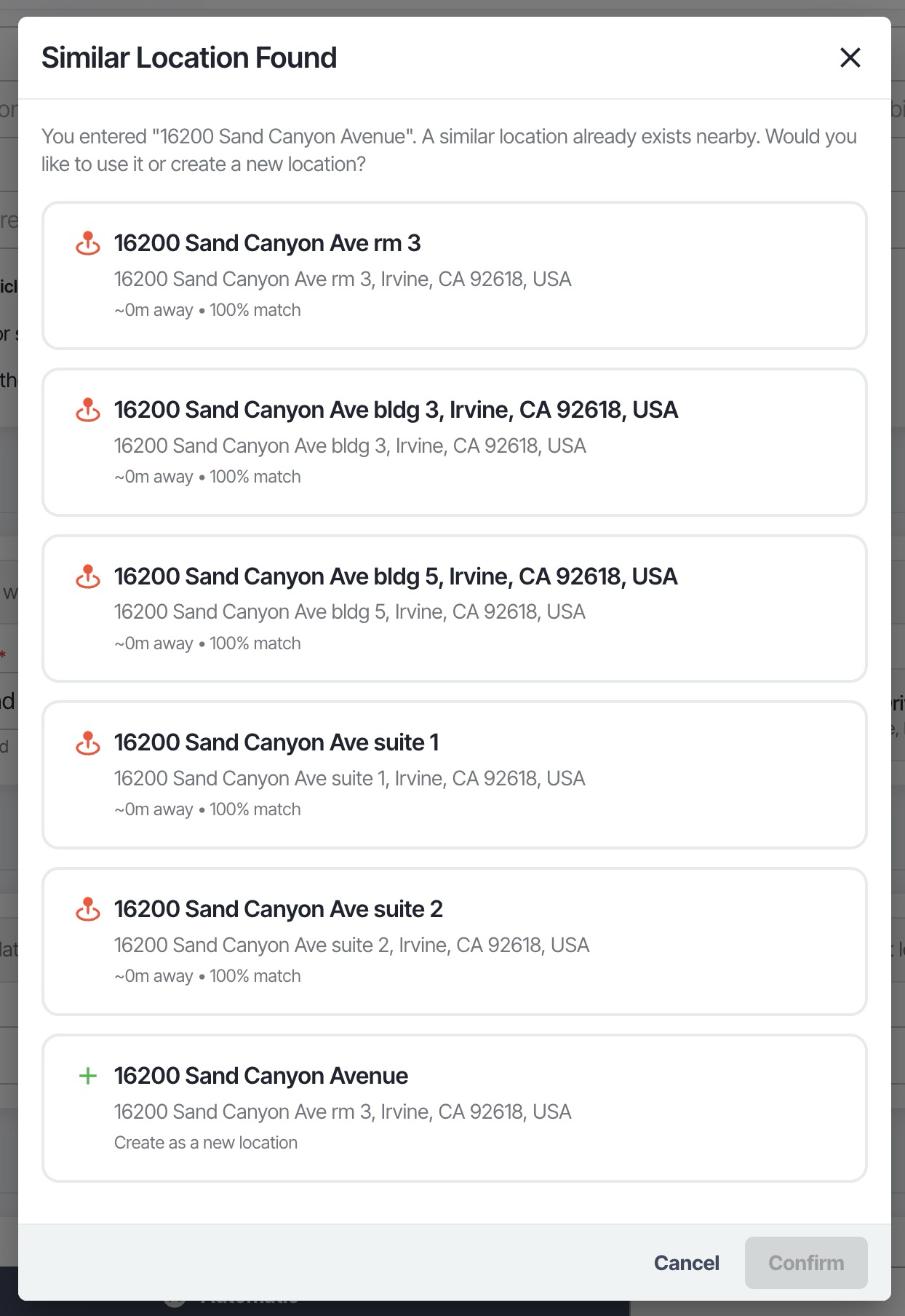
When creating a move and entering a location, the system now detects if there are multiple known locations at the same street address — such as different suites or units in an office park or strip mall. Instead of silently picking one, a Nearby Location Picker modal appears so you can choose the correct location or create a new one.
Key Features
- Scored candidate list — Locations are ranked by how closely they match the entered address, with the best match highlighted at the top
- Keyboard navigation — Use arrow keys to move between candidates and Enter to confirm, or press Escape to dismiss
- Create New option — If none of the candidates are right, select "Create New Location" to proceed with the entered address as a brand-new location
- The "Create New" card is automatically hidden when an existing candidate already matches the geocoded address exactly, reducing unnecessary clutter
Duplicate Location Prevention
A dedup guard has been added to the move planner lane form. Previously, interacting with the same location across multiple steps could silently append duplicate entries to the locations list. Now the system checks whether a location with the same ID already exists before adding it, preventing duplicates from stacking up in the autocomplete.
Google Places Suggestions Always Visible
Google Places autocomplete suggestions now always appear in the dropdown, even when the text you type doesn't literally match the suggestion label.
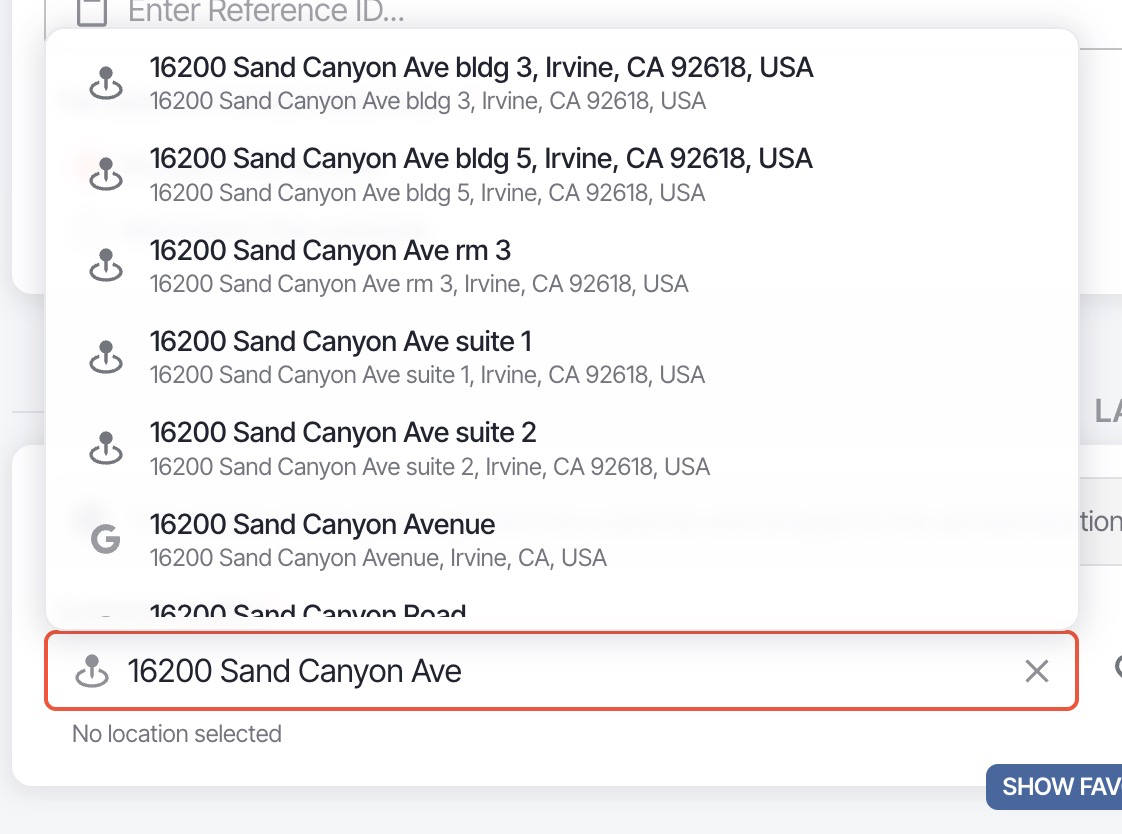 Previously, MUI's built-in filter would hide Google suggestions if your input contained extra terms like a building number or suite (e.g., typing "bldg 3" would filter out valid suggestions). Google suggestions now bypass the local text filter so they remain visible alongside your stored locations.
Suite-Sibling Detection
When a location resolves to an address that has other known locations at the same street address but with different suite or unit numbers, the system now automatically detects these "suite siblings" and presents them in the Nearby Location Picker. This prevents accidentally creating a new location when the intended one already exists under a different suite number at the same address.
Things to Know
- The Nearby Location Picker only appears when there are multiple candidate locations at the same address — single-match lookups resolve instantly as before
- A race condition guard prevents double
resolveLocationcalls that could occur when pressing Enter triggers both a keydown and a blur event in quick succession - The
@hopdrive/sdk-lanespackage has been upgraded from 0.6.2 to 0.6.4